Read
Open the selected PDF or image without modifying it.
LOADING...
Business document processing
Turn incoming documents into reviewable, structured work—without sending sensitive business data off the machine.
Docusoak is a Windows-first application for identifying order numbers and other metadata, proposing safe filenames, and separating high-confidence results from documents that need a human decision.

Interactive preview
A limited browser demonstration of evidence-based extraction. Your file is processed in this tab and is never uploaded.
This interactive preview is an illustrative JavaScript demonstration, not a browser version of Docusoak and not a representation of the desktop software's full accuracy or workflow. The product uses a separate Python-based local processing architecture with OCR, review, and document-control capabilities that cannot be reproduced fully here. Do not rely on preview results for business processing.
Request more information →Preview boundary: no OCR, handwriting recognition, batch processing, renaming, filing, persistence, or export. Your selected document remains in this browser tab and is not uploaded.
The problem
Business documents are inconsistent. Scans can be faint, handwriting can be ambiguous, and a plausible-looking order number can still be wrong. Blind automation turns those recognition errors into misnamed or misfiled records.
Docusoak treats confidence and provenance as part of the result. The system should automate the routine cases, show the evidence behind a decision, and stop safely when the evidence is not strong enough.
Processing path
Open the selected PDF or image without modifying it.
Render pages locally and run CPU-first OCR.
Locate order numbers and structured metadata with supporting evidence.
Apply business rules and assess confidence before proposing an action.
Keep ambiguous results visible for a person to resolve.
Document bytes, page images, extracted text, and business metadata stay on the Windows machine. There is no cloud OCR fallback.
Approved supplier names, aliases, identifiers, and label evidence become reusable local knowledge without turning one correction into a universal rule.
Extracted values retain their source evidence and confidence. Uncertain identities and references are sent to review instead of being silently accepted.
Original PDFs remain ordinary files. Verified copies are non-overwriting, traceable, and linked to the decision that produced them.
Review-driven learning
A local SQLite knowledge layer records approved supplier evidence, rules, review decisions, and file locations. The PDFs themselves remain ordinary files on the machine.
The first pass deliberately kept most of the controlled batch in review.
A reviewed selection resolved one repeat case without weakening the gate.
Approved supplier evidence reduced repeat review for known layouts.
Supplier-specific label knowledge resolved more familiar documents; uncertain cases still stopped.
Scope note: This is a small controlled development sample showing workflow behaviour, not a general accuracy rate or production benchmark.
Controlled batch
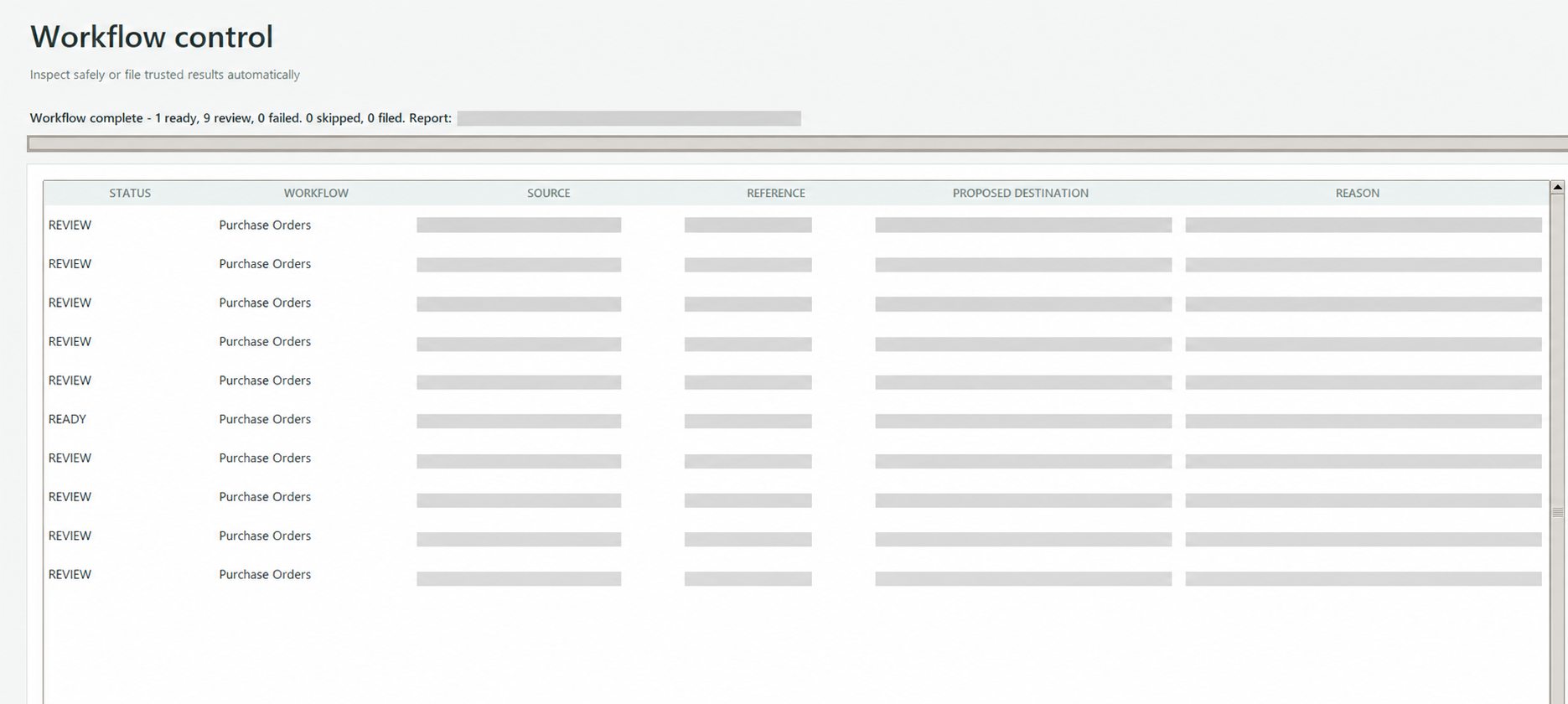
The controlled batch began with one document ready and nine held for review.
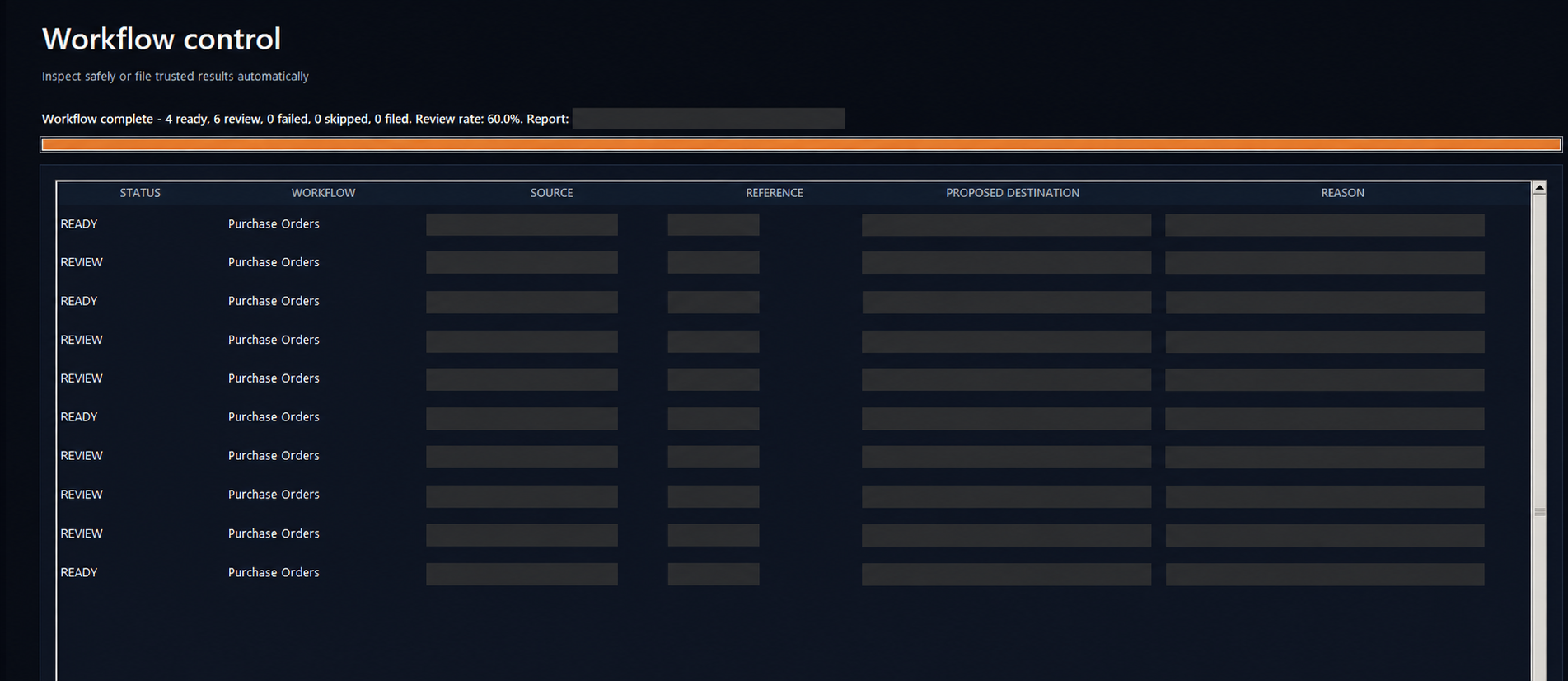
After human-approved supplier knowledge was added, four documents were ready and six remained in review.
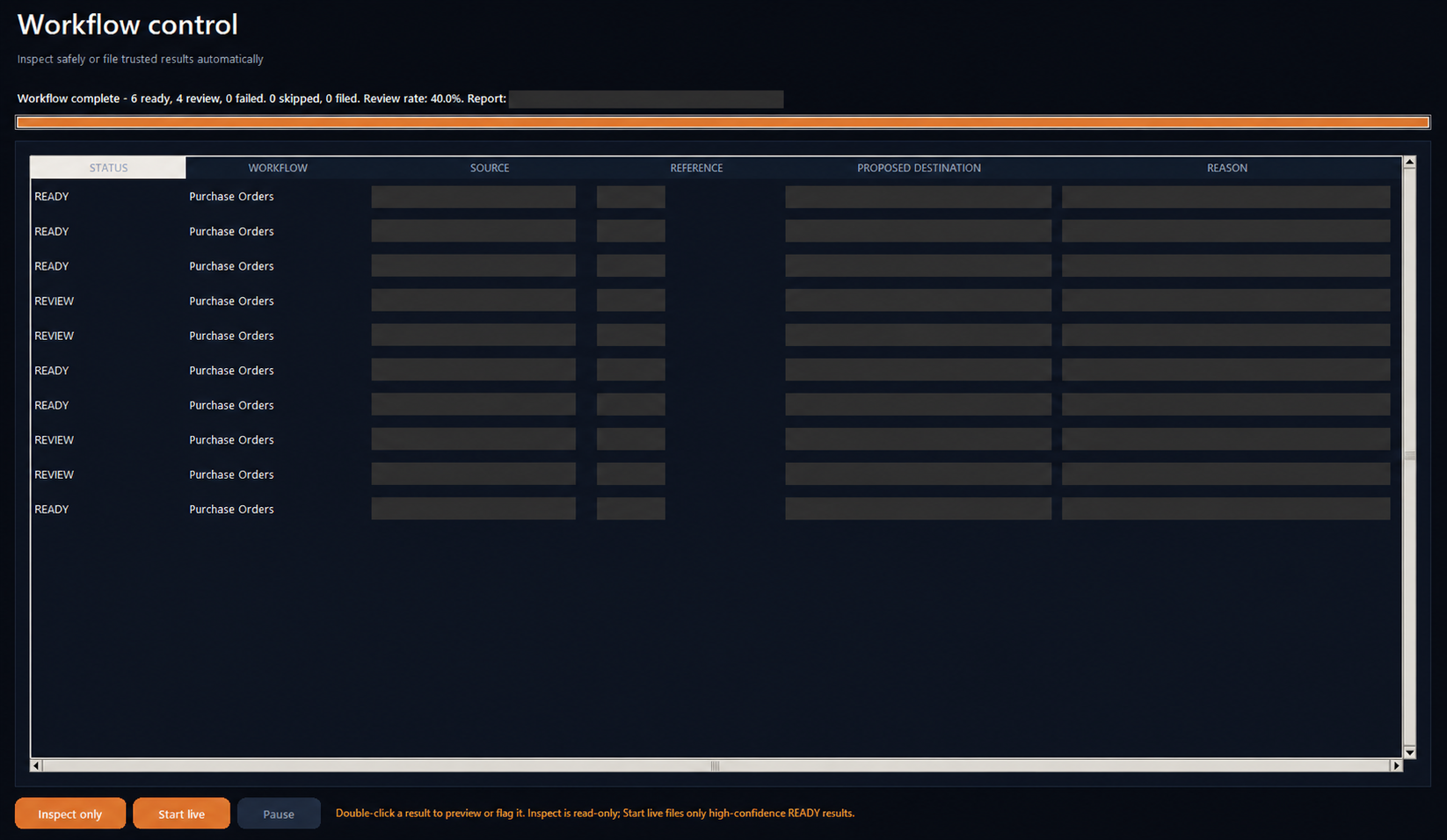
A supplier-specific trusted-label gate brought the same batch to six ready and four review, while unresolved documents stayed stopped.
Human review
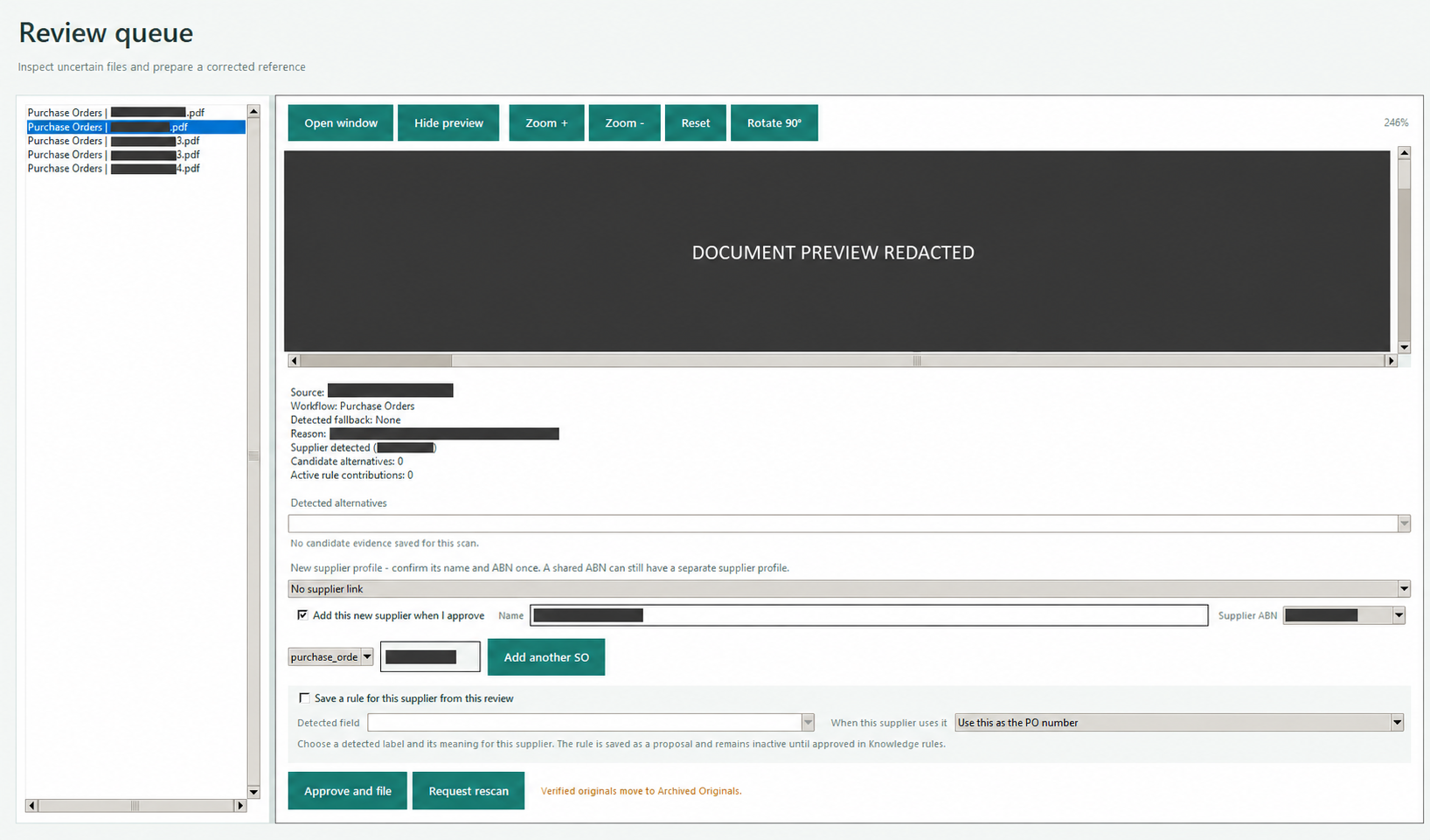
The review queue keeps the source document, extracted evidence, proposed value, and reason for stopping together. A correction can be approved as supplier-specific knowledge while preserving its provenance.
Development progress
Development screens from the local Windows application. Interface details will continue to change as pilot preparation and UI refinement continue.
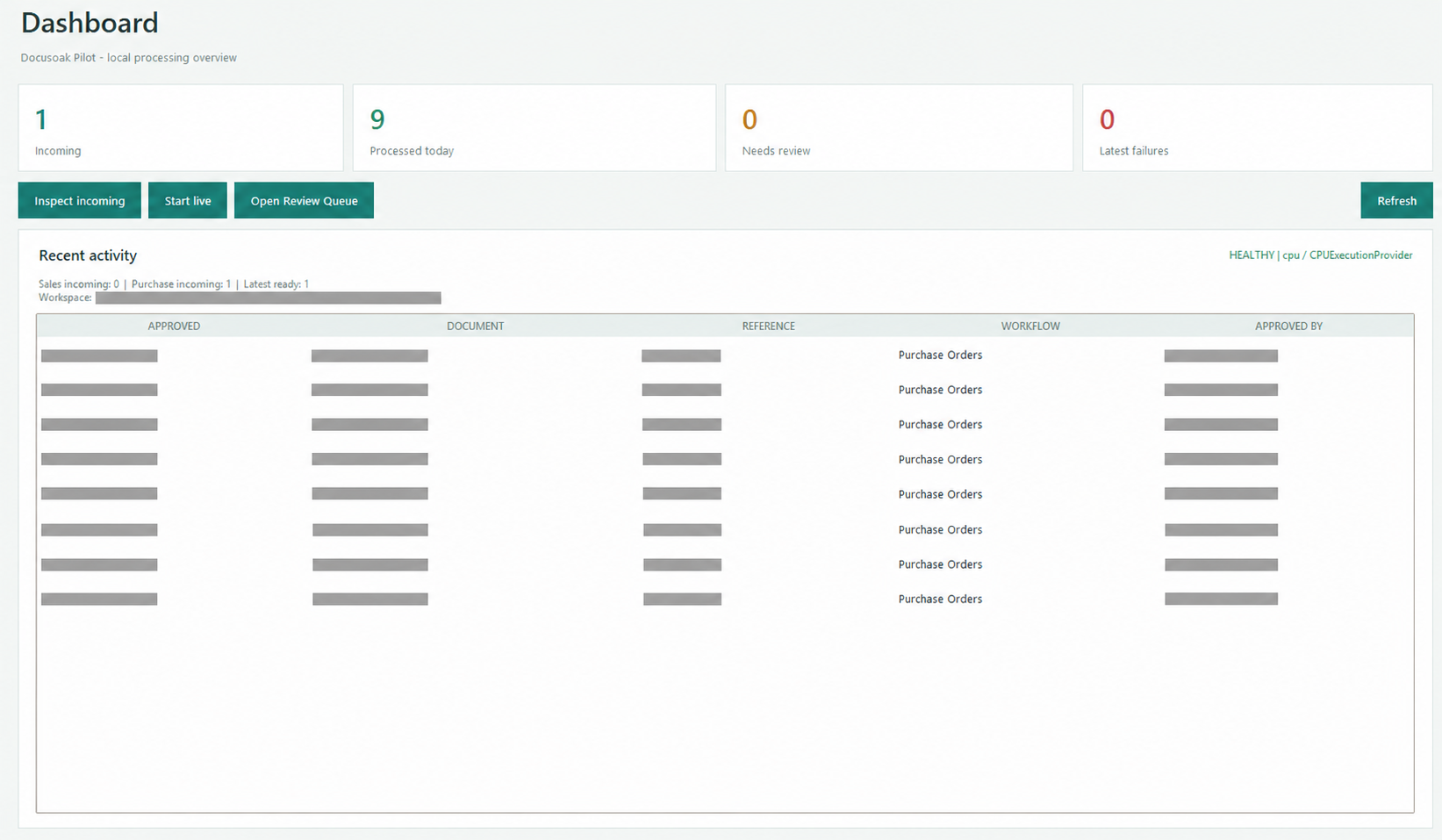
A live operational overview of incoming work, completed documents, review demand, runtime health, and recent approved activity.
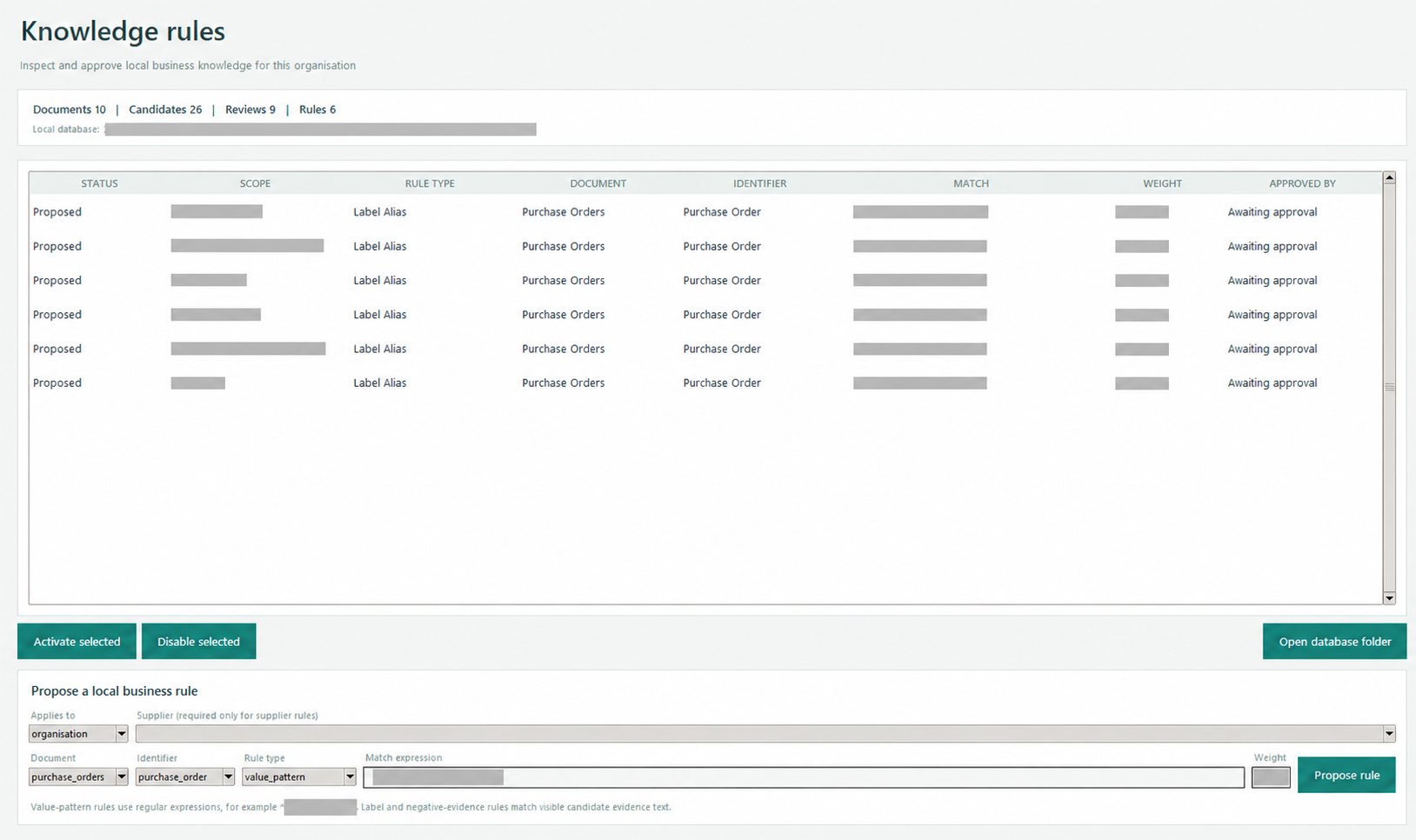
Organisation and supplier-specific label aliases are proposed from observed documents, then require explicit approval before they influence later decisions.
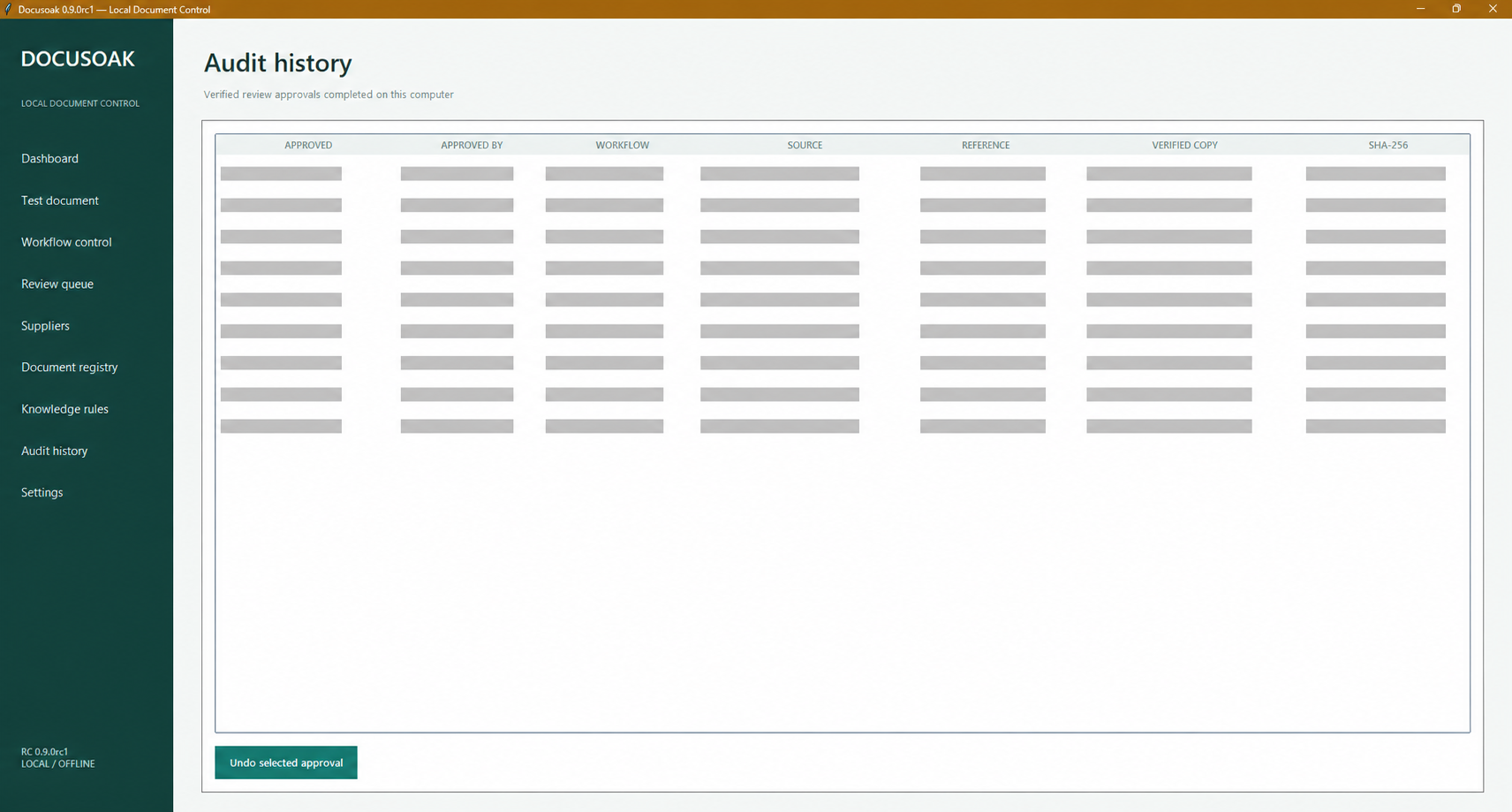
Every approved result records its operator, workflow, source, reference, verified copy, timestamp, and content hash for traceability.
Technical foundation
The prototype uses Python 3.12, RapidOCR, PDFium rendering, ONNX Runtime, and a local SQLite knowledge store. CPU processing is the baseline; optional DirectML acceleration is selected only when a benchmark proves it faster on that machine.
Demonstrated development behaviour includes local OCR, supplier-aware recognition, review-driven rules, verified filing, audit history, and dark/light interfaces. Current work is strengthening identity without an ABN, safer header and logo evidence, low-resolution layouts, and broader testing. The current development branch records 135 automated tests plus Ruff and strict MyPy checks; this is not a packaged production release.